Open Source · Proof of Concept
Projected touch has worked for a decade. It has never reached a consumer desk.
Role
Systems Design
C++ Development
Code
Coming Soon
Overview
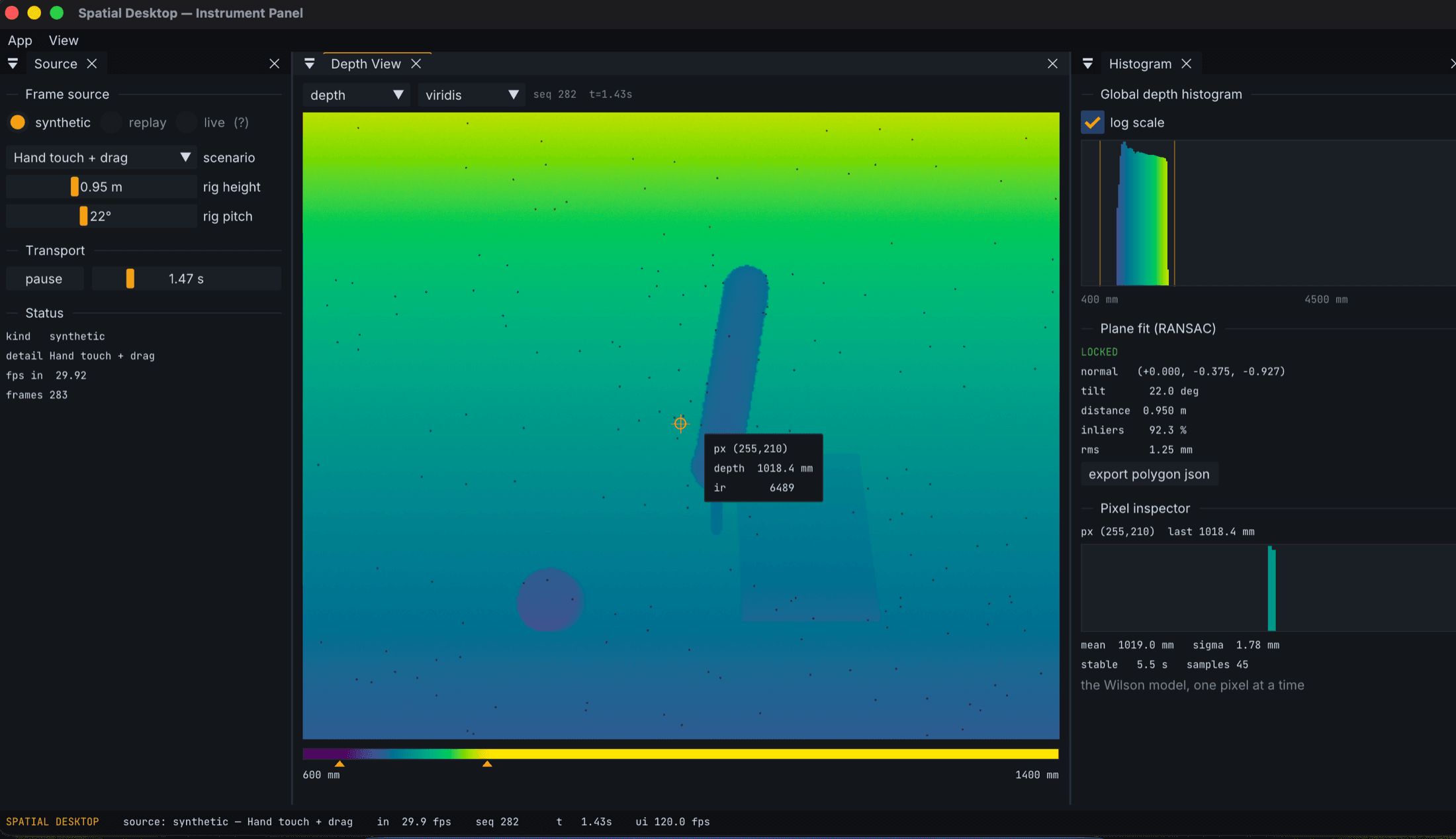
The Spatial Desktop is a rig built from a Kinect v2 depth sensor and a projector mounted on a shared bracket, pointed at an ordinary desk. The sensor reads the surface, the objects on it, and your hands. The projector turns the leftover desk area into a second display you can touch. There is no camera anywhere in the pipeline, and nothing ever touches a network. The sensor sees shape, not images.
KV2GUI is the application where that rig is being built: the calibration, diagnostics, and measurement tool for every capability the desk will have. It is a proof of concept in the literal sense. The concept is that this class of interaction, which already exists in enterprise hardware, can run on commodity parts at a desk, and be set up by one person without a lab.
The gap
This technology has been demonstrated repeatedly and shipped more than once. Smartboards and interactive displays are standard in meeting rooms. In the Windows 8 era, Microsoft backed Ubi Interactive, which paired a Kinect with a projector to turn any surface into a touchscreen, aimed at conference rooms and classrooms. Sony shipped the Xperia Touch, a projector that made any table interactive. It was discontinued. Ubi has gone quiet. The pattern repeats: the technology works, ships into the enterprise or dies at retail, and never becomes something a person just has on their desk.
The parts, meanwhile, became commodities. A used Kinect v2 costs less than a video game. Projectors are cheap. The missing piece is not hardware, it is software that a hobbyist can clone, build, and calibrate in an afternoon. That is the piece this project is trying to supply.
The bet
The way we interact with computers is widening. Dictation went from a novelty to something people use daily once speech recognition got good enough to trust. The keyboard, mouse, and monitor stopped being the whole story; they are just the peripherals we happened to standardize on.
A desk is a large, flat, well lit surface sitting directly under your hands, and computing ignores it. The bet behind this project is that the desk is usable screen real estate, that hands on a surface are an input we already trust from a decade of phones, and that the reason nobody uses their desk this way is setup friction, not desire. If the software makes calibration a five minute flow instead of a research project, hobbyists will play with it. Consumer technology tends to arrive that way.
The instrument panel
The first deliverable is deliberately not the desk experience. It is the instrument panel: one application where every capability of the rig is developed, measured, and debugged before anything gets projected. Depth sensing is noisy, geometry is unforgiving, and a touch surface that is wrong by a centimeter is worse than no touch surface at all. So the tool comes first.
The app runs fully without hardware. A synthetic source renders scripted scenes, a hand touching and dragging, a cup placed and removed, the desk rising, so every pipeline stage can be built and tested against ground truth before a sensor is ever plugged in. Recordings replay deterministically. The live Kinect is just a third source behind the same interface. That constraint, no panel ever talks to a device directly, is also what will make the project approachable for someone who clones it before their hardware arrives.
What it does today
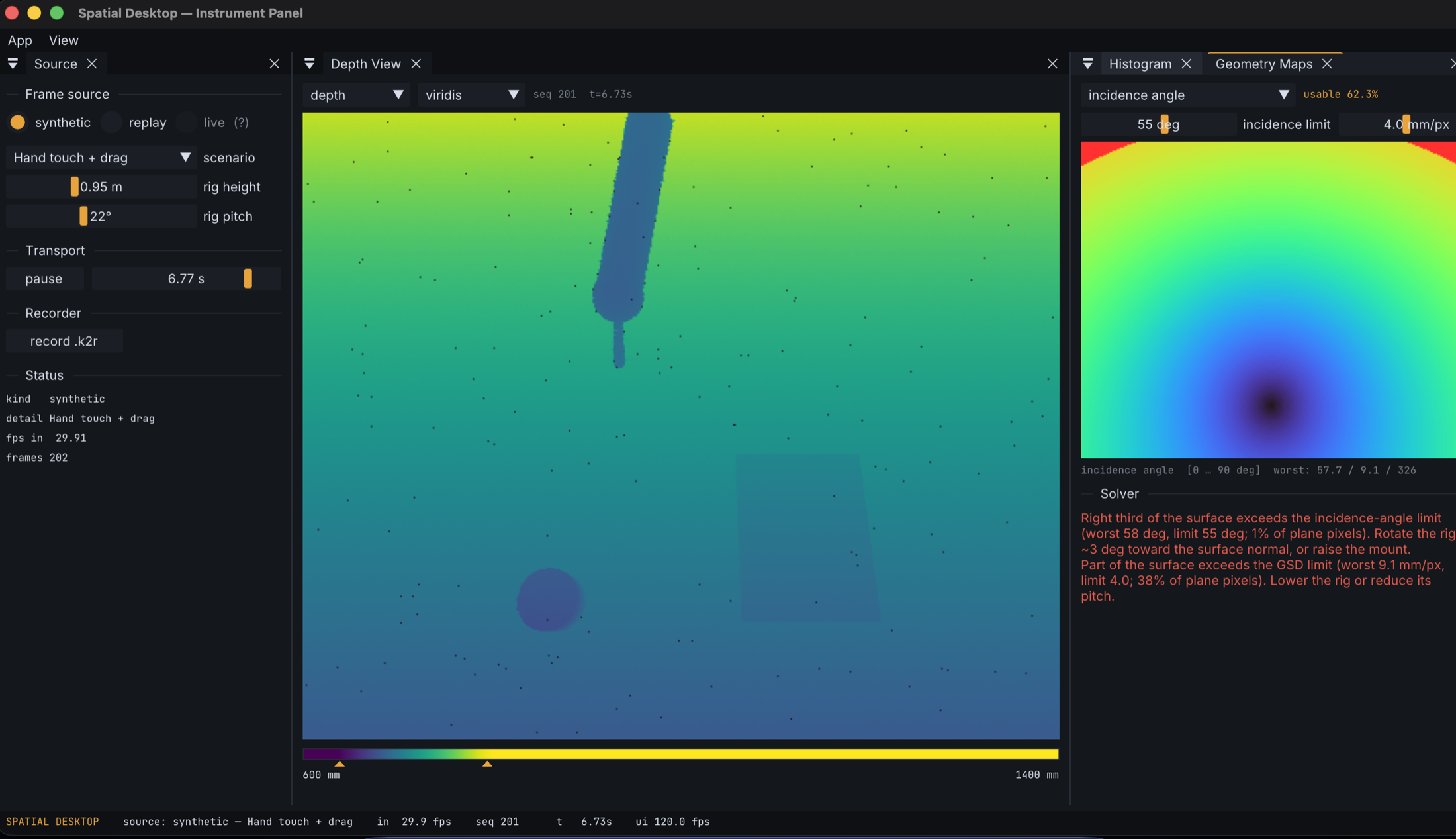
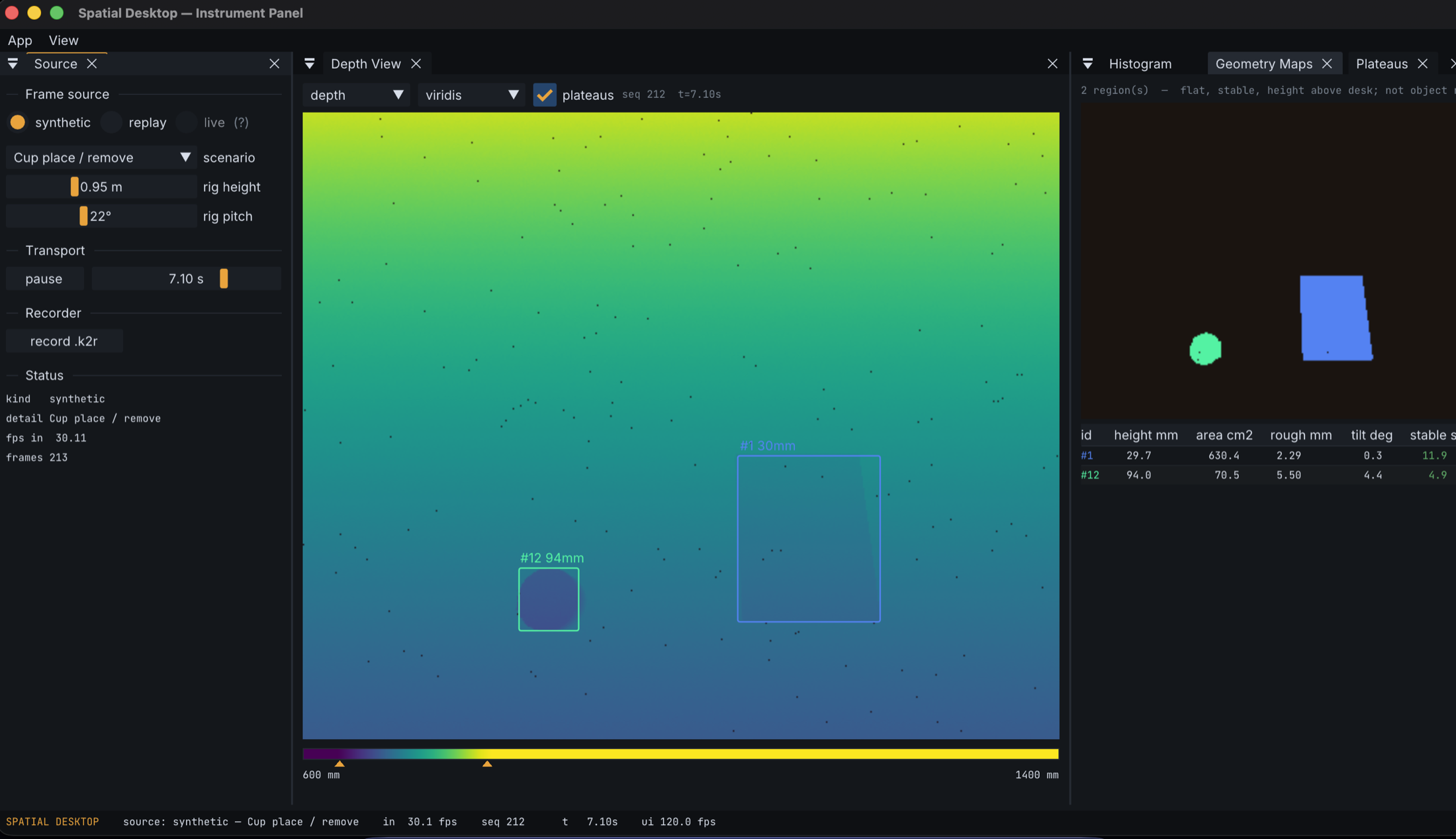
The pipeline runs end to end. A depth view shows the colormapped scene with per pixel inspection. The plane fit finds the desk and reports its own confidence. Geometry maps compute, per pixel, whether the rig's pose can support touch at that spot, and the solver explains its failures in numbers rather than refusing silently. A plateau tracker segments the objects sitting on the desk, a book, a cup, and tracks how stable each one is over time. The touch loop detects finger scale contact patches against the modeled surface, tracks them with hysteresis, and hands them to a calibration flow that maps desk space to projector space. The last panel is the proof: touches drive a painting canvas through the full calibrated path, sensor to surface to projector.
Beyond the plan
The project started from a written specification, and the specification survived contact with reality only partially. Bring up on Apple Silicon meant working through the driver stack rather than around it. The first hardware failure turned out not to be the sensor at all but a third party power adapter that carries voltage while silently dropping the data lines, which cost days and is exactly the kind of thing that kills hobbyist projects. So it became a feature: the diagnostics panel now walks through a hazard checklist for clone adapters before letting you conclude your Kinect is dead.
That is the general posture. Every problem the project hits gets folded back into the tool, because the goal is not one working rig, it is a repeatable path to one.
Standing on open source
None of this is built from scratch. The sensor runs on libfreenect2, the open source driver that kept the Kinect v2 alive after Microsoft moved on. The interface is Dear ImGui. The window and GL context come from GLFW, and recordings compress with zstd. The sensing approach itself descends from published research: the per pixel surface model comes from Andrew Wilson's Using a Depth Camera as a Touch Sensor, and the finger geometry detection from Desktopography: Fluid Interaction on a Dynamic Desktop Surface by Robert Xiao, Scott Hudson, and Chris Harrison.




The project exists because these pieces were left where anyone could pick them up. It will be released the same way, as an open source repository with the documentation to build the rig, for anyone who wants a desk that does more.
Status
In active development. The instrument panel and its full synthetic pipeline are working; live hardware bring up is underway, and the GitHub release is being prepared alongside it. Nothing here is a product, and no claims are made beyond what the screenshots show.